Apple-1 · Volume 11
Apple-1 — Volume 11 — Programming the Apple-1 — Monitor, BASIC and 6502 Assembly
Hand-assembled 6502 code typed into the Woz Monitor in hex — a message, hex and decimal arithmetic, the sieve of Eratosthenes, the keyboard and the screen driven directly — every program run in the series' simulator with its output shown; and Apple BASIC as the 1976 manual documents it
11.1 About This Volume
Programming an Apple-1 in 1976 meant one of two things. With the cassette interface and the BASIC tape, it meant Apple BASIC. Without them — and every Apple-1 started without them — it meant machine code: a program written on paper in 6502 assembly language, translated into hexadecimal by hand, typed into the monitor a line at a time, checked, and run. This volume teaches both, in that order of importance, because the machine-code route is the one that every Apple-1 shares, original or replica.
Six programs, from a one-line message to a prime-number sieve, are developed in full: the assembly source, the hand-assembled listing with every byte, the exact lines to type into the monitor, and the screen they produce. Every one of them was assembled by the series’ assembler and run in apple1_sim.py, the Apple-1 model in Apple-1/03-outputs/tools/, and every screen shown is that model’s output. The script apple1_programs.py in the same folder re-runs them all; its --check option compares each screen with the one printed here and with an independent calculation of what the program ought to print (the primes below 256, the Fibonacci numbers, the squares), and all six pass. The model reproduces the monitor’s documented behaviour without Apple’s ROM; as a further check, each program was also run, outside the repository, on the published monitor listing assembled onto the same 6502 core, and the screens were identical.
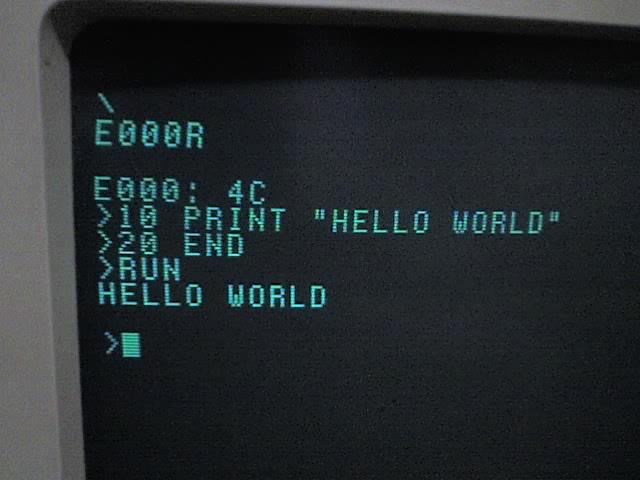
The BASIC section is different, and says so. Apple BASIC cannot be run without Apple’s BASIC image, which this series does not reproduce. The BASIC listings are quoted from, or written to, Apple’s 1976 manual, and are not verified in the simulator.
Volume 5 describes the monitor and its commands; Volume 3 the hardware the programs drive. Volume 10’s Replica 1 Plus runs everything here unchanged.
11.2 The Programmer’s Apple-1
11.2.1 Memory
A standard Apple-1 has 4K of RAM, $0000–$0FFF, and some of it is spoken for:
Table 1 — A standard Apple-1 has 4K of RAM, $0000–$0FFF, and some of it is spoken for
| Addresses | Use |
|---|---|
| $0000–$00FF | Zero page: fast, short-addressed memory. The monitor uses $24–$2B (“invalid for user use, when using monitor,” Operation Manual). The rest is free. |
| $0100–$01FF | The 6502’s stack |
| $0200–$027F | The monitor’s input buffer — overwritten by every typed line |
| $0280–$0FFF | Free for programs and data. This volume’s programs start at $0300. |
| $D010–$D013 | Keyboard and display registers (the 6820 PIA) |
| $FF00–$FFFF | The monitor |
With Apple BASIC loaded, BASIC occupies $E000–$EFFF and a BASIC program lives at $0800–$0FFF, so machine code that is to coexist with BASIC belongs below $0800 (Volume 5).
11.2.2 The monitor’s four routines
Programs talk to the world through four documented entry points in the monitor (Operation Manual, Section II; Volume 5):
Table 2 — Programs talk to the world through four documented entry points in the monitor (Operation Manual, Section II; Volume 5)
| Call | Address | Effect |
|---|---|---|
JSR $FFEF | ECHO | Print the character in A. A is preserved. |
JSR $FFDC | PRBYTE | Print A as two hex digits. A is changed. |
JSR $FFE5 | PRHEX | Print the low four bits of A as one hex digit. A is changed. |
JMP $FF1F | GETLINE | Return to the monitor: print a carriage return and wait for a command. |
Characters are ASCII with bit 7 set, as the keyboard delivers them: “A” is $C1, a space $A0, RETURN $8D. (The terminal ignores bit 7, so $41 would print an “A” too, but the convention keeps output and keyboard input alike.) The screen is 40 columns of upper case, and the only control code it obeys is carriage return.
11.2.3 The working method
- Write the program in assembly language, on paper.
- Assemble it by hand: look up each instruction’s opcode and length, assign addresses, and work out branch offsets. A branch’s offset is counted from the address of the next instruction; backward branches are negative, written in two’s complement ($FB is −5).
- Enter it in the monitor. The first line names the start address and a colon; continuation lines begin with a colon, which carries on from where the last deposit stopped. Leading zeros can be left off: “3” is $03.
- Check it: list it back with a block examine (
300.327) and compare every byte. - Run it with
300R. The monitor prints “0300: ” and the first byte before jumping, so output starts on that line unless the program begins with a carriage return. Every program here ends withJMP $FF1Fto return to the monitor; one that does not can only be stopped with RESET.
The listings below show, for each instruction, its address, its bytes, any label, and the source. The lines “typed into the monitor” were generated from those bytes, eight to a line, and typed into the model exactly as shown.
11.3 Program 1: A Message
The first program prints a line of text with ECHO.
0300  A2 00             LDX #0             ; index into the message
0302  BD 10 03  loop    LDA msg,X          ; next character
0305  F0 06             BEQ done           ; a zero byte ends the message
0307  20 EF FF          JSR $FFEF          ; ECHO: print the character in A
030A  E8                INX
030B  D0 F5             BNE loop
030D  4C 1F FF  done    JMP $FF1F          ; back to the monitor
0310  8D C8 C5  msg     .byte $8D,"HELLO FROM THE APPLE-1",$8D,0
      CC CC CF ...      (25 bytes, $0310-$0328)
LDA msg,X is the indexed addressing mode: it loads from $0310 plus X. The message is stored as ASCII with bit 7 set and a zero byte at the end, so the loop stops on the zero without needing a length. It opens and closes with $8D, carriage return. BNE loop assembles to D0 F5: the next instruction is at $030D, and $030D − 11 = $0302, so the offset is −11, $F5.
Typed into the monitor:
300: A2 0 BD 10 3 F0 6 20
: EF FF E8 D0 F5 4C 1F FF
: 8D C8 C5 CC CC CF A0 C6
: D2 CF CD A0 D4 C8 C5 A0
: C1 D0 D0 CC C5 AD B1 8D
: 0
300R
The screen:
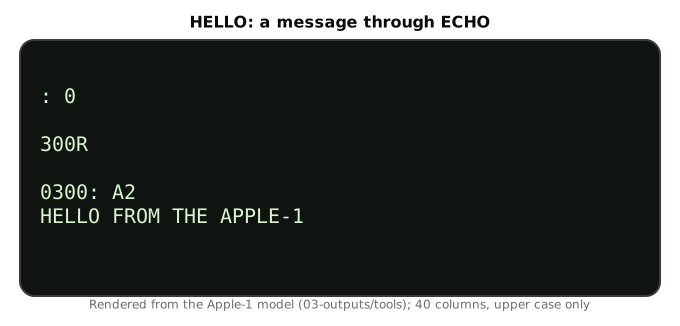
300R

0300: A2
HELLO FROM THE APPLE-1
The “0300: A2” is the monitor opening the run address (Volume 5). The program’s leading carriage return puts the message on a line of its own.
11.4 Program 2: Squares in Hex
The 6502 has no multiply instruction. This program prints the squares of 0 to 15 by building each one as repeated addition, and uses PRBYTE to print them in hex.
0300  A9 8D             LDA #$8D           ; start on a new line
0302  20 EF FF          JSR $FFEF
0305  A2 00             LDX #0             ; n
0307  A9 00     next    LDA #0
0309  85 10             STA $10            ; n squared, built by adding n to itself n times
030B  8A                TXA
030C  A8                TAY                ; Y counts the additions
030D  F0 09             BEQ show
030F  18        add     CLC
0310  8A                TXA
0311  65 10             ADC $10
0313  85 10             STA $10
0315  88                DEY
0316  D0 F7             BNE add
0318  A5 10     show    LDA $10
031A  20 DC FF          JSR $FFDC          ; PRBYTE: two hex digits
031D  A9 A0             LDA #$A0           ; a space
031F  20 EF FF          JSR $FFEF
0322  E8                INX
0323  E0 10             CPX #16
0325  D0 E0             BNE next
0327  4C 1F FF          JMP $FF1F
Three things are new. STA $10 and ADC $10 use zero page, whose two-byte instructions are shorter and faster than the three-byte absolute forms; $10 is free (the monitor’s own variables start at $24). CLC before ADC matters: the 6502 has only add-with-carry, so the carry must be cleared before each addition. And X and Y are used as counters, the X register for n and Y for the additions.
Typed into the monitor:
300: A9 8D 20 EF FF A2 0 A9
: 0 85 10 8A A8 F0 9 18
: 8A 65 10 85 10 88 D0 F7
: A5 10 20 DC FF A9 A0 20
: EF FF E8 E0 10 D0 E0 4C
: 1F FF
300R
The screen:
0300: A9
00 01 04 09 10 19 24 31 40 51 64 79 90 A
9 C4 E1
The output wraps at the fortieth column, splitting “A9” across two lines; the Apple-1 terminal wraps wherever it reaches the edge. $E1 is 225, fifteen squared.
11.5 Program 3: Fibonacci Numbers in Decimal
The 6502 has a decimal mode. After SED, the add and subtract instructions treat each byte as two binary-coded decimal digits: $09 + $01 gives $10, not $0A. A pair of bytes then holds a four-digit decimal number, and PRBYTE prints it in decimal for free, because a BCD byte’s two hex digits are its two decimal digits. This program prints the Fibonacci numbers up to 9,999.
0300  A9 8D             LDA #$8D           ; start on a new line
0302  20 EF FF          JSR $FFEF
0305  F8                SED                ; decimal mode: ADC adds binary-coded decimal
0306  A9 00             LDA #0
0308  85 10             STA $10            ; a = 0000  ($10 low, $11 high)
030A  85 11             STA $11
030C  85 13             STA $13            ; b = 0001  ($12 low, $13 high)
030E  A9 01             LDA #1
0310  85 12             STA $12
0312  A5 13     loop    LDA $13            ; print b as four decimal digits
0314  20 DC FF          JSR $FFDC
0317  A5 12             LDA $12
0319  20 DC FF          JSR $FFDC
031C  A9 A0             LDA #$A0
031E  20 EF FF          JSR $FFEF
0321  18                CLC                ; c = a + b, in decimal
0322  A5 10             LDA $10
0324  65 12             ADC $12
0326  AA                TAX
0327  A5 11             LDA $11
0329  65 13             ADC $13
032B  B0 0F             BCS done           ; past 9999: stop
032D  A4 12             LDY $12            ; a = b
032F  84 10             STY $10
0331  A4 13             LDY $13
0333  84 11             STY $11
0335  86 12             STX $12            ; b = c
0337  85 13             STA $13
0339  4C 12 03          JMP loop
033C  D8        done    CLD
033D  4C 1F FF          JMP $FF1F
The 16-bit addition is two 8-bit additions chained through the carry: the low bytes first after CLC, then the high bytes, which add in the carry from the low. In decimal mode the carry out of the high byte means the sum passed 9999, and the program stops.
Typed into the monitor:
300: A9 8D 20 EF FF F8 A9 0
: 85 10 85 11 85 13 A9 1
: 85 12 A5 13 20 DC FF A5
: 12 20 DC FF A9 A0 20 EF
: FF 18 A5 10 65 12 AA A5
: 11 65 13 B0 F A4 12 84
: 10 A4 13 84 11 86 12 85
: 13 4C 12 3 D8 4C 1F FF
300R
The screen:
0300: A9
0001 0001 0002 0003 0005 0008 0013 0021
0034 0055 0089 0144 0233 0377 0610 0987
1597 2584 4181 6765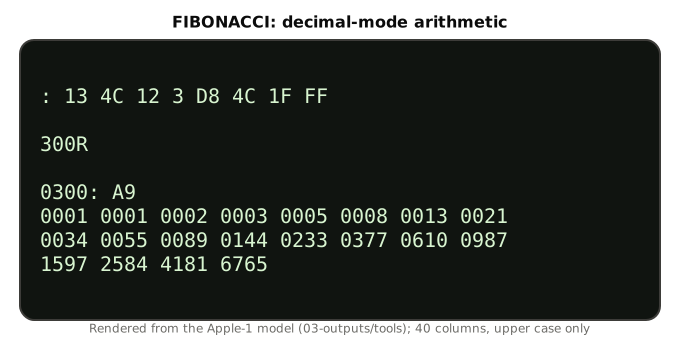
There is a subtlety here that only reading the monitor’s listing reveals. The program calls PRBYTE with the processor still in decimal mode. PRBYTE converts each digit to ASCII by adding, and for the digits A–F it adds an offset with ADC — which, in decimal mode, would give the wrong answer. The program is safe only because BCD digits are never above 9, so that addition is never reached. A program that printed ordinary hex bytes in decimal mode would print garbage for A–F; clear decimal mode (CLD) before calling the monitor, as the next program does.
11.6 Program 4: The Sieve of Eratosthenes
Finding primes by crossing out multiples is the oldest algorithm in this collection’s Number-Sieves unit, and a good test of an 8-bit machine: it needs an array, nested loops and a subroutine. This program sieves the numbers below 256, keeping one flag byte per number in a 256-byte table at $0800 — inside the standard 4K — and prints each prime in decimal as it finds it.
                flags = $0800              ; one byte per number 0-255, inside the stock 4K
0300  A9 8D             LDA #$8D           ; start on a new line
0302  20 EF FF          JSR $FFEF
0305  A2 00             LDX #0             ; clear all the flags
0307  8A                TXA
0308  9D 00 08  clr     STA flags,X
030B  E8                INX
030C  D0 FA             BNE clr
030E  A2 02             LDX #2             ; p = 2
0310  BD 00 08  outer   LDA flags,X
0313  D0 1B             BNE skip           ; already crossed out: not prime
0315  8A                TXA                ; print p in decimal
0316  20 36 03          JSR decout
0319  A9 A0             LDA #$A0
031B  20 EF FF          JSR $FFEF
031E  86 10             STX $10            ; cross out 2p, 3p, ... below 256
0320  8A                TXA
0321  18        cross   CLC
0322  65 10             ADC $10
0324  B0 0A             BCS skip
0326  A8                TAY
0327  A9 01             LDA #1
0329  99 00 08          STA flags,Y
032C  98                TYA
032D  4C 21 03          JMP cross
0330  E8        skip    INX
0331  D0 DD             BNE outer
0333  4C 1F FF          JMP $FF1F
0336  85 11     decout  STA $11            ; print A (0-255) in decimal, no leading zeros
0338  8A                TXA
0339  48                PHA
033A  A9 00             LDA #0             ; convert to BCD: $13 hundreds, $12 tens+units
033C  85 12             STA $12
033E  85 13             STA $13
0340  A2 08             LDX #8
0342  F8                SED
0343  06 11     bit     ASL $11            ; double the BCD number and add the next bit
0345  A5 12             LDA $12
0347  65 12             ADC $12
0349  85 12             STA $12
034B  A5 13             LDA $13
034D  65 13             ADC $13
034F  85 13             STA $13
0351  CA                DEX
0352  D0 EF             BNE bit
0354  D8                CLD
0355  A5 13             LDA $13
0357  F0 0B             BEQ tens           ; no hundreds digit
0359  20 E5 FF          JSR $FFE5
035C  A5 12             LDA $12
035E  20 DC FF          JSR $FFDC
0361  4C 73 03          JMP out
0364  A5 12     tens    LDA $12
0366  C9 10             CMP #$10
0368  90 06             BCC units
036A  20 DC FF          JSR $FFDC
036D  4C 73 03          JMP out
0370  20 E5 FF  units   JSR $FFE5
0373  68        out     PLA
0374  AA                TAX
0375  60                RTS
The sieve itself is the first 49 bytes. For each p from 2 upward whose flag is still clear, it prints p and then marks 2p, 3p, … by repeated addition until the sum overflows past 255 (BCS skip). The 8-bit overflow is the loop’s natural end; there is no comparison against a limit.
decout is the classic 6502 binary-to-decimal conversion. In decimal mode it doubles a BCD accumulator eight times, shifting in one bit of the binary number each time (ASL $11 puts the bit in the carry, and ADC of the accumulator to itself doubles it and adds the carry). After eight bits, $13 holds the hundreds digit and $12 the tens and units. The rest prints without leading zeros: PRHEX for a lone hundreds or units digit, PRBYTE for a pair. The subroutine saves X on the stack (TXA, PHA … PLA, TAX) because the sieve’s loop counter lives in X and decout needs X for its own count; and it clears decimal mode before calling the monitor.
Typed into the monitor (fifteen lines of hex, 118 bytes):
300: A9 8D 20 EF FF A2 0 8A
: 9D 0 8 E8 D0 FA A2 2
: BD 0 8 D0 1B 8A 20 36
: 3 A9 A0 20 EF FF 86 10
: 8A 18 65 10 B0 A A8 A9
: 1 99 0 8 98 4C 21 3
: E8 D0 DD 4C 1F FF 85 11
: 8A 48 A9 0 85 12 85 13
: A2 8 F8 6 11 A5 12 65
: 12 85 12 A5 13 65 13 85
: 13 CA D0 EF D8 A5 13 F0
: B 20 E5 FF A5 12 20 DC
: FF 4C 73 3 A5 12 C9 10
: 90 6 20 DC FF 4C 73 3
: 20 E5 FF 68 AA 60
300R
The screen — the 54 primes below 256:
0300: A9
2 3 5 7 11 13 17 19 23 29 31 37 41 43 47
 53 59 61 67 71 73 79 83 89 97 101 103 1
07 109 113 127 131 137 139 149 151 157 1
63 167 173 179 181 191 193 197 199 211 2
23 227 229 233 239 241 251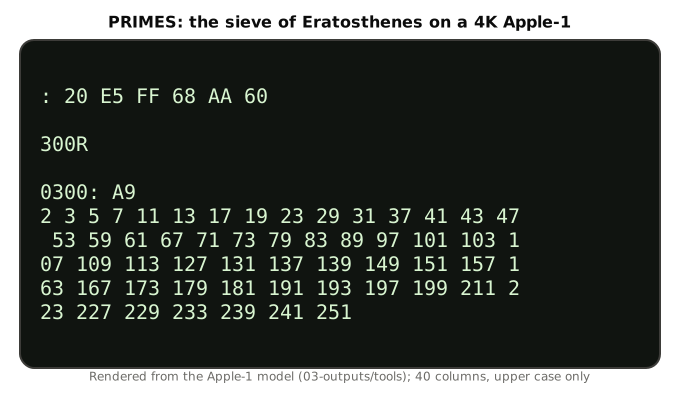
11.7 Program 5: Reading the Keyboard
The monitor’s routines only print. To read the keyboard, a program goes to the 6820 PIA directly, as the Operation Manual’s Section III shows: “LDA KBD CR (D011) / BPL / LDA KBD DATA (D010).” Bit 7 of $D011 is set when a key has been pressed; reading $D010 returns the character and clears the flag. This program prints the code of each key in hex until RETURN is pressed.
0300  A9 8D             LDA #$8D           ; start on a new line
0302  20 EF FF          JSR $FFEF
0305  AD 11 D0  wait    LDA $D011          ; KBDCR: bit 7 set when a key is waiting
0308  10 FB             BPL wait
030A  AD 10 D0          LDA $D010          ; KBD: the ASCII code, bit 7 always 1
030D  C9 8D             CMP #$8D           ; RETURN ends the program
030F  F0 0B             BEQ done
0311  20 DC FF          JSR $FFDC          ; show the code in hex
0314  A9 A0             LDA #$A0
0316  20 EF FF          JSR $FFEF
0319  4C 05 03          JMP wait
031C  4C 1F FF  done    JMP $FF1F
BPL wait loops while bit 7 — the sign bit, as the 6502 sees it — is clear. Typed into the monitor:
300: A9 8D 20 EF FF AD 11 D0
: 10 FB AD 10 D0 C9 8D F0
: B 20 DC FF A9 A0 20 EF
: FF 4C 5 3 4C 1F FF
300R
Then, with the program running, the keys A, P, P, L, E and RETURN are pressed. The program does not echo them, so the screen shows only their codes:
0300: A9
C1 D0 D0 CC C5
Every code has bit 7 set — $C1 for “A” — because the Apple-1 ties the keyboard port’s eighth line high (Volume 3).
11.8 Program 6: Writing to the Screen Directly
ECHO is three instructions, and a program can do the same thing itself. This one prints the alphabet through its own output routine, out, which waits on the display’s busy bit and then stores the character:
0300  A9 8D             LDA #$8D           ; carriage return
0302  20 14 03          JSR out
0305  A9 C1             LDA #$C1           ; 'A'
0307  20 14 03  next    JSR out
030A  18                CLC
030B  69 01             ADC #1
030D  C9 DB             CMP #$DB           ; one past 'Z'
030F  D0 F6             BNE next
0311  4C 1F FF          JMP $FF1F
0314  2C 12 D0  out     BIT $D012          ; DSP bit 7 = 1 while the terminal is busy
0317  30 FB             BMI out
0319  8D 12 D0          STA $D012          ; hand it the character
031C  60                RTS
Typed into the monitor:
300: A9 8D 20 14 3 A9 C1 20
: 14 3 18 69 1 C9 DB D0
: F6 4C 1F FF 2C 12 D0 30
: FB 8D 12 D0 60
300R
The screen:
0300: A9
ABCDEFGHIJKLMNOPQRSTUVWXYZ
BIT $D012 copies bit 7 of the display register into the processor’s N flag without disturbing A, so BMI can wait on it while the character waits in A. The sense of that bit is where the Operation Manual trips its readers: its register table says bit 7 is a “‘display ready’ input (1 equals ready, 0 equals busy),” but the monitor’s own code — and this program — treat 1 as busy and wait while it is set. A program written from the table’s wording would wait while the display was ready and write while it was busy. On real hardware the wait is not a formality: the terminal accepts at most one character per video frame, about sixty a second (Volume 3), so a program that ignored the busy bit would lose characters.
11.9 Debugging with the Monitor
The Woz Monitor has no breakpoints, no single-step and no register display. The tools are simple:
- Look at memory. Store intermediate results in zero page and examine them afterwards; Program 2’s running square is in $10 and can be inspected with
10after a run. - Stop early. Put
4C 1F FF(JMP $FF1F) at the point to stop, run, examine, then restore the original bytes. - Beware BRK. A $00 byte executed by mistake — a jump past the end of a program into cleared memory, for instance — is the BRK instruction, and the monitor’s interrupt vector sends it to $0000 (Volume 5). Whatever is at $0000 then runs.
- Re-check the hex. Most failures are typing errors. A block examine of the whole program, compared byte by byte with the listing, finds them; the colon continuation means a single bad line can be retyped without re-entering the rest.
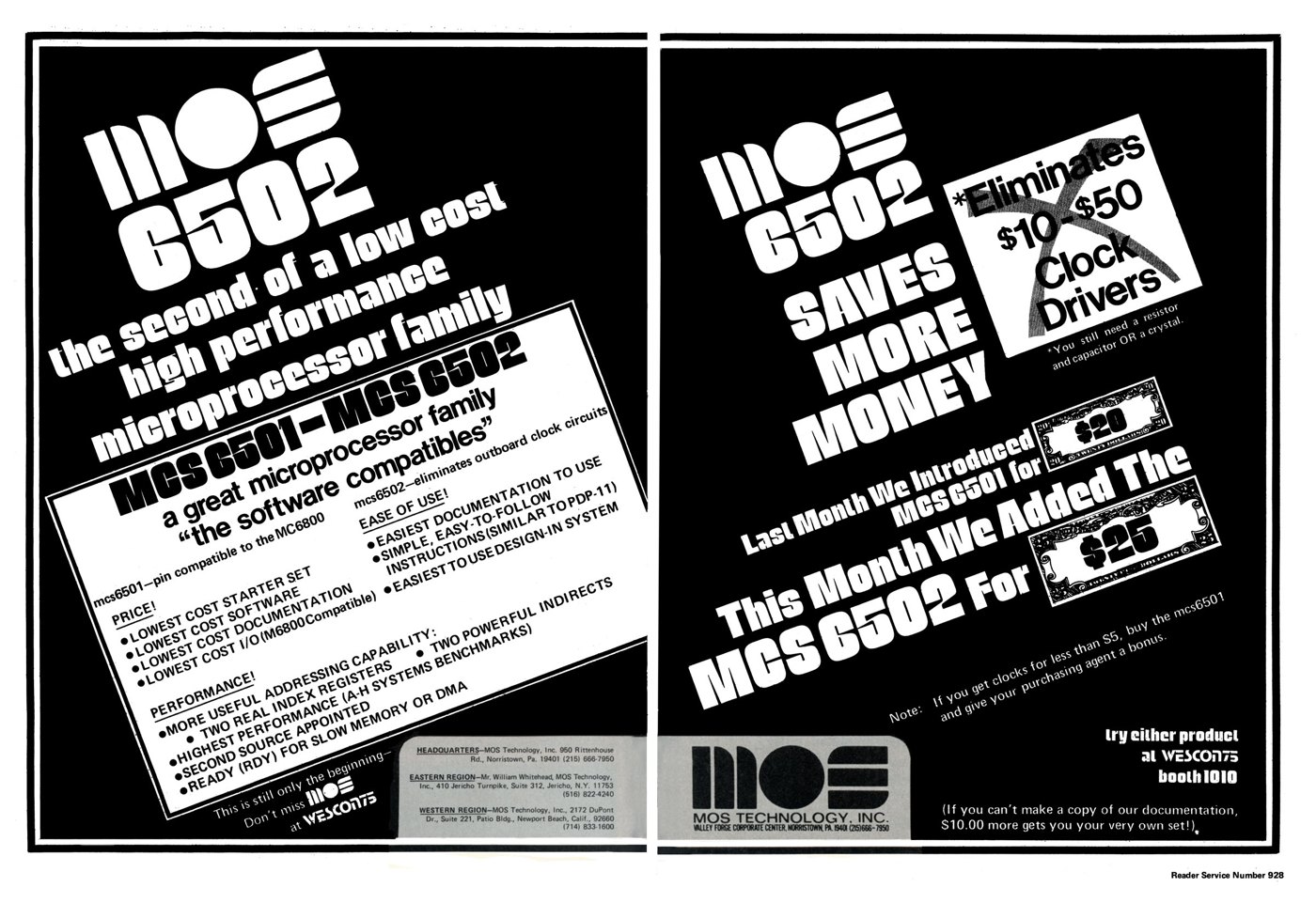
Assemblers came later. Apple’s April 1977 price list offered a “Dis-Assembler” tape and an “Extended Monitor”; on the Replica 1, Ken Wessen’s Krusader assembler is in ROM at $F000 (Volume 10). In 1976 the reference was MOS Technology’s own MCS6500 Microcomputer Family Programming Manual, with its opcode tables.
11.10 Apple BASIC
Nothing in this section has been run in the simulator. The listings are quoted from Apple’s Preliminary Apple BASIC Users Manual of October 1976 (Internet Archive) or written to its documented syntax, and the results given are the manual’s own.
11.10.1 Getting to the prompt
On an original Apple-1, BASIC loads from cassette into $E000–$EFFF: C100R, then E000.EFFFR, start the tape, RETURN, wait about thirty seconds for the backslash, and enter BASIC with E000R (Volume 5). On the Replica 1 Plus, BASIC is in ROM and E000R alone suffices. The prompt is >. A statement with a line number is stored; without one, it is executed at once — the manual’s example contrasts >10 PRINT A,B, “a statement in a BASIC program,” with >PRINT A,B, “a command,” whose values “will be printed immediately.”
11.10.2 The language in brief
Integers only, from −32767 to +32767. Variable names are a letter or a letter and a digit. Strings end in $, must be dimensioned (DIM A$(20)), and are sliced with subscripts, which the manual demonstrates with its own results. Assume A$="ABCDEFG"; then:
PRINT A$         yields  ABCDEFG
PRINT A$(5)      yields  EFG
PRINT A$(2,6)    yields  BCDEF
PRINT A$(1,1)    yields  A
“Not equal” is #. PRINT items separated by commas go to five columns of eight characters; a semicolon prints them together. TAB 20: PRINT "Hello" indents. The manual’s examples of control statements include FOR A= 100 TO 1 STEP -5, IF (A=B AND C=D) THEN 50, IF NOT (A>4) THEN END, GOTO (A+B/2) — a computed line number — and GOSUB A.
11.10.3 A short program
Written for this series in the manual’s syntax, a counting loop that prints a table of squares to match Program 2:
10 REM SQUARES 0 TO 15
20 FOR N=0 TO 15
30 PRINT N,N*N
40 NEXT N
50 END
On the manual’s description, line 30 prints each pair in the first two of the five eight-character print columns. This listing is not emulator-verified.
11.10.4 Reaching the hardware: PEEK, POKE and CALL
PEEK, POKE and CALL connect BASIC to everything in the earlier part of this volume. Addresses above 32767 are written as negative numbers — the manual’s example: “POKE −2048,55 stores 55 in location −2048 (−2048 = D000 (HEX)).” So the keyboard registers $D010 and $D011 are −12272 and −12271 to BASIC. Reading the keyboard that way competes with BASIC itself, though: the manual says “Program execution may be interrupted by pressing any key,” so BASIC is watching the same flag, and a BASIC program asks for keys with INPUT instead. CALL “does a JSR to the memory location whose address is equal to the value of the expr (decimal),” so CALL 768 runs machine code at $0300. A routine called this way must end with RTS, not with JMP $FF1F as every program above does — a jump to the monitor from inside BASIC leaves BASIC behind, and RESET followed by E2B3R is then the way back without losing the program. Machine code must also avoid BASIC’s program area, $0800–$0FFF by default. (Written to the manual’s documentation; not emulator-verified.)
11.10.5 BASIC or machine code?
The two prime-number programs make the comparison concrete. Program 4 is 118 bytes. In the model its sieve and conversions take about 32,000 processor cycles — a few hundredths of a second on a 1 MHz 6502 — while the terminal, at sixty characters a second, needs about three seconds to show the 180-odd characters of output. A BASIC sieve would be a dozen readable lines, but needs the 4K interpreter and an 8K machine, and an interpreter is far slower than machine code. Wozniak wrote his BASIC for “games, logic simulations, puzzle solving,” where convenience mattered more than speed; and the Apple-1’s game tapes of 1977 — Mastermind, Lunar Lander, Blackjack, Hamurabi, Star Trek — were BASIC programs. Machine code was for what BASIC could not do quickly or at all, and for learning how the machine itself worked.
Next — Volume 12: My Family’s Apple-1. A family’s own Apple-1, bought in the 1970s and used to learn BASIC and assembly language — and the Apple-1 and Apple II boards still kept in the family.
Comments (0)