DSKY · Volume 21
DSKY — Volume 21 — Programs I've Run — and Rewritten
Inside the Apollo 11 launch and landing re-enactments, the DFPlayer trick behind the voices, and what it takes to change gravity on a desk-top DSKY
21.1 About This Volume
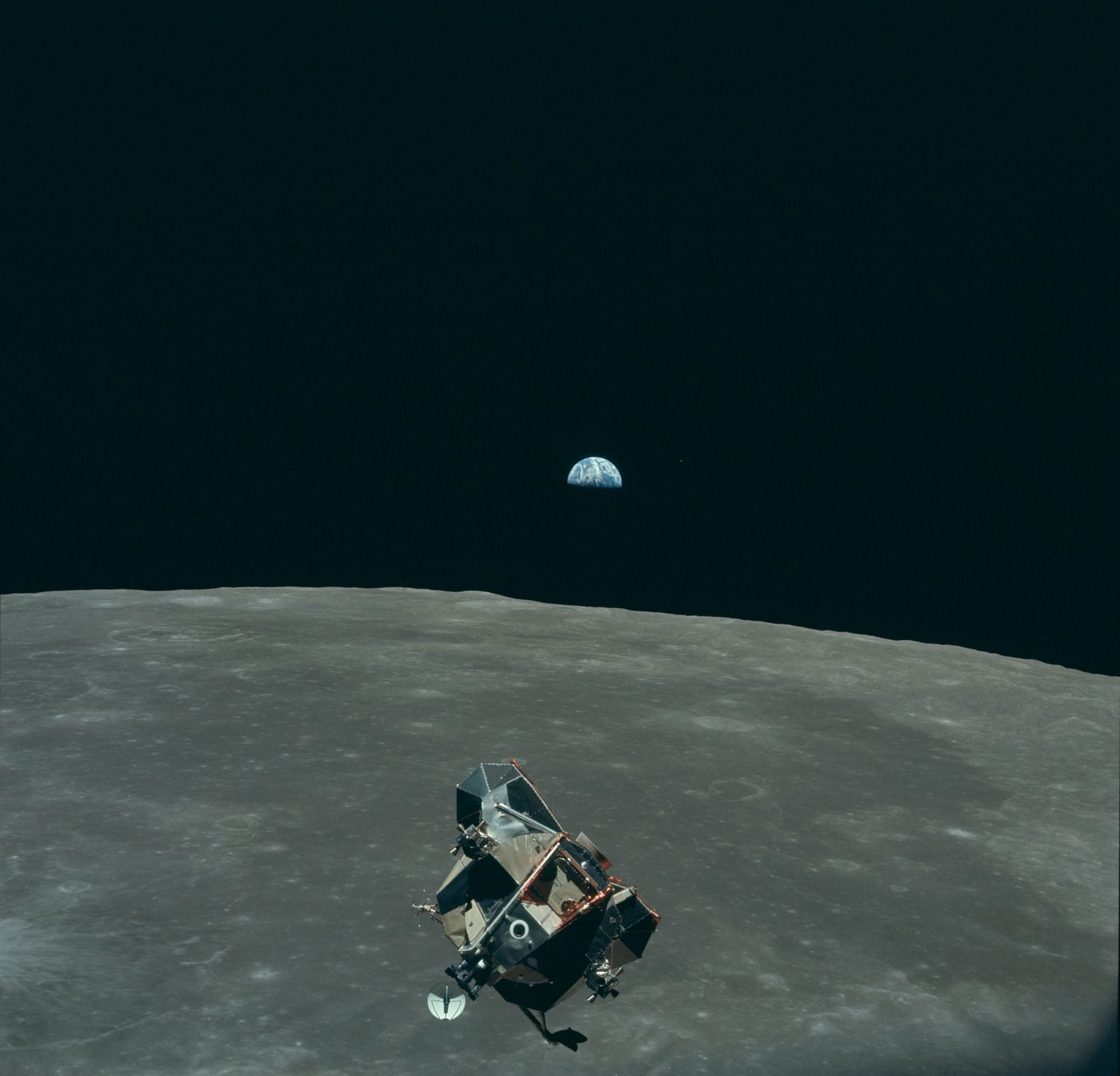
Two of the commands in the Apollo Open DSKY Command Reference are not really commands at all. They are performances. Key VERB 37, NOUN 01, ENTR and the panel counts down, lifts off and flies the registers to Earth orbit while the launch audio plays. Key VERB 16, NOUN 68, ENTR and it flies the last four minutes of Apollo 11’s descent to the Moon, alarms included, under the voices of the crew and Mission Control. I have run both on my Open DSKY from the manual (Volume 20).
Then I opened the sketch. The firmware is Bill Walker’s CustomDSKY.ino, published under the GNU GPL version 3 at github.com/ApolloExperience/OpenDSKY, and because it is open, the re-enactments are not fixed. I have changed the order of the voices, the audio clips the programs play, and I have experimented with changing the gravitational pull.
This volume takes both re-enactments apart in the code: how they keep time, where their numbers come from, how they drive the display and how they trigger the audio. Then it explains what my two changes involve, briefly surveys the other firmware people run on the same hardware, and finishes with how to reflash the Nano. The code quoted here is from the current version of Walker’s repository; line references are approximate.
21.2 The Clock Behind the Show
Both re-enactments are built the same way, and the first thing to understand is how they keep time.
The Nano has no operating system and no scheduler. The sketch runs one loop() function over and over, as fast as it can, and each re-enactment takes the loop over with a while loop of its own that runs until the show is finished. Inside it, time is not measured with the Nano’s own millisecond counter but with the kit’s real-time clock. On every pass the code reads the clock, and whenever the clock’s seconds digit changes, it adds one to an elapsed-seconds counter:
p64now = rtc.now();
if (oldSecond != p64now.second()) {
  oldSecond = p64now.second();
  elapsedSecs++;
  ...
}
Everything else in the show is keyed to that counter: which program number is showing, when an alarm fires, which lamps are lit and which row of the data table is in use. Because the audio clip starts at the same moment as the counter, and both then run at the speed of real time, the picture and the sound stay together for the whole performance without the code ever needing to know where the audio is.
21.3 The Landing: V16 N68
21.3.1 Starting it
When the dispatch function sees VERB 16 and NOUN 68, it sets action 10, and the keypad handler puts 64 on the PROG digits: P64, the approach-phase program that was flying Eagle when Armstrong took over (Volume 13). The handler for action 10 is two lines:
void action10() {
  audioPlayback(aud_a11landing);
  lunarDecentSim();
}
The first line starts audio track 8, the Apollo 11 landing clip; the second runs the simulation.
21.3.2 The data: a recorded descent, not a physics model
The heart of the landing is three arrays near the top of the sketch:
const int timePoint[] = {   0,   9,  26, 61, 66, 70, 75, 86, 91, 95,105,116,126,136,143,150,159,164,173,195,218,220,999};
const int alt_Point[] = {3500,3000,2000,800,700,600,540,400,350,330,300,270,250,220,200,160,120,100, 75, 40,  8,  0,  0};
const int vel_Point[] = { 750, 700, 500,230,210,190,150, 90, 40, 35, 35, 15, 25, 35, 45, 65, 45, 35, 25, 25, 15,  0,  0};
const int totalSeconds = 252;
Each column is one moment of the descent: seconds into the simulation, altitude in feet, and the descent rate. Read against the Apollo 11 air-to-ground transcript, the pairs are the calls Buzz Aldrin read off the DSKY and the cross-pointers to Neil Armstrong: “700 feet, 21 down,” “600 feet, down at 19,” “400 feet, down at 9,” “350, down at 4,” “330, 3½ down,” and so on to “40 feet, down 2½.” The descent-rate column holds those rates in tenths of a foot per second (210 for 21 feet per second, 35 for 3½), which is also how the real AGC displayed altitude rate, with one decimal place.
So the landing is a replay of recorded values, not a simulation of flight. There is no gravity constant anywhere in the routine, no thrust, no mass and no equation of motion. Between two rows of the table, the code simply draws a straight line:
timediff = timePoint[arrayptr+1] - timePoint[arrayptr];
altdiff  = alt_Point[arrayptr]   - alt_Point[arrayptr+1];
veldiff  = vel_Point[arrayptr]   - vel_Point[arrayptr+1];

timecalc = elapsedSecs*100 - timePoint[arrayptr]*100 + ((millis() - previousMillis)/10)%100;
curralt  = alt_Point[arrayptr] - (altdiff*timecalc/(timediff*100));
currvel  = -(vel_Point[arrayptr] - (veldiff*timecalc/(timediff*100)));

setShowRegisters(elapsedSecs + 532, currvel, curralt);
timecalc is the time since the current row began, in hundredths of a second: whole seconds from the clock plus the fraction of a second measured with millis() since the last tick. That fraction is what makes the altitude run down smoothly between callouts instead of jumping once a second. Each time the seconds counter passes the next timePoint, the pointer moves on a row. The registers are rewritten every ninety passes of the loop.
21.3.3 What the registers show
- R3 is the altitude in feet, falling from 3,500 to 0.
- R2 is the descent rate, shown negative because the altitude is decreasing.
- R1 is the elapsed seconds plus 532. The code does not say what the offset is for, but the arithmetic is suggestive: touchdown in the table comes at 220 seconds, which puts R1 at 752 at contact, and Apollo 11’s contact light came at 102:45:40 mission elapsed time, 12 minutes 33 seconds (753 seconds) after powered descent began at 102:33:07 (Apollo Lunar Surface Journal). R1 appears to be meant as time since the start of the powered descent, which would make the simulation open roughly nine minutes into the real one, at 3,500 feet. The code does not confirm this, and between the alarms and touchdown the table’s pacing does not follow the mission clock exactly.
That opening point explains why the re-enactment has only two program alarms. Apollo 11’s first 1202s came earlier in the descent (Volume 12). The re-enactment begins after them and stages the last two: a 1201 at nine seconds and a 1202 at forty-nine. With the 532-second offset, those fall at about 541 and 581 seconds after the start of the descent, close to the real 1201 (called at 102:42:19, about 552 seconds into the descent) and the last 1202 (acknowledged by Houston at 102:42:41, about 574 seconds) in the Apollo Lunar Surface Journal transcript.
21.3.4 The alarms, program changes and lamps
The rest of the routine is a sequence of timed set pieces, each an if on the seconds counter:
Table 1 — The rest of the routine is a sequence of timed set pieces, each an if on the seconds counter
| Seconds | What the panel does |
|---|---|
| 0 | PROG 64; ALT, VEL and NO ATT lamps off; altitude 3,500 ft |
| 9 | Registers blank; PROG lamp lit yellow; after 1.5 s, 1201 in R1 and R2 for 4 s; RESTART lamp flashes four times; the counter jumps to 20 to stay with the audio |
| 49 | The same, with 1202; the counter jumps to 61 |
| 77–80 | PROG changes to 65; VERB and NOUN change to 06 and 60 and flash, then return to 16 and 68 |
| 91–94 | PROG changes to 66, with the same VERB/NOUN flash |
| 130–199 | ALT and VEL lamps lit yellow |
| 220 | Altitude and rate reach zero: touchdown |
| 221–252 | Display holds while the audio plays out |
| 252 | Show ends; the panel returns to V16 N36, the clock |
The alarm blocks are worth a closer look, because they are where the code bends time. Each one pauses with delay() calls (1.5 seconds, then 4 seconds, then four half-second flashes of RESTART), and during those pauses the seconds counter does not advance. So at the end of each alarm, the code sets the counter forward to a fixed second (20, then 61) to resynchronize the display with the audio, which has kept playing all along.
The V06 N60 flash at the program changes is a nice touch. On the real spacecraft, P65 and P66 put up Noun 60 (forward velocity, altitude rate and altitude), and a flashing verb and noun meant the computer wanted the crew’s attention. The re-enactment flashes those digits for a few seconds and goes back to the N68 display, as if the crew had acknowledged and returned to their monitor.
Throughout the show, a helper called compAct() flickers the COMP ACTY lamp green, and occasionally the UPLINK ACTY lamp white, at random, so the panel looks busy whenever the “computer” is supposed to be working.
21.4 The Launch: V37 N01
21.4.1 Starting it
VERB 37 with NOUN 01 sets action 21. Its handler starts audio track 9, Walker’s long Apollo 11 launch-to-orbit clip, and calls saturnLaunchSim(). That routine lights NO ATT, puts V16 N36 P01 on the panel, and starts counting.
21.4.2 Countdown and liftoff
The first thirty-four seconds are a countdown. R3 shows (elapsedSeconds - 34) * 100, which the display reads as seconds with two decimal places, so it runs from −34.00 to zero. At 18 seconds the program steps to P02, with V37 N02 flashing for a few seconds; on the real AGC, P01 and P02 were the pre-launch programs, and P02 held the inertial platform aligned until liftoff. At 35 seconds the code starts Mission Elapsed Time (the clock behind V16 N65), changes to P11 and flashes V06 N62. That is the right display: P11 was the Earth-orbit-insertion monitor, and Noun 62 was what the crews watched through the ascent, inertial velocity, altitude rate and altitude.
21.4.3 The data
The ascent uses the same technique as the landing, with four arrays of thirty-nine points:
// abbreviated: each array has 39 values
const int ltimePoint[] = {0,35,40,45,55,64,94,100,117,124,154,169,184,195,196,214, ... ,724,737,743,999};
const int lvel_Point[] = {0, 0,11,33,137,496,1192,1340,2671,3123,5226,6492,8073,9068,9100, ... ,25562,25567,25567};
const int lvvelpoint[] = {0, 0,11,33,137,414,857,972,1323,1542,2321,2794,3095,3307,3307, ... ,-11,0,0,0};
const int lalt_Point[] = {0, 0, 0, 1,  2,  7, 35, 43, 72, 94,189,238,324,357,360, ... ,1036,1036,1036};
const int ltotalSeconds = 780;
R1 is inertial velocity in feet per second, R2 the altitude rate, and R3 the altitude in tenths of a nautical mile. The table ends at 743 seconds, which is 709 seconds (11 minutes 49 seconds) after the code’s liftoff, with 25,567 feet per second and an altitude of 103.6 nautical miles. That is Apollo 11’s orbital insertion: the S-IVB shut down at about 11 minutes 40 seconds, and the spacecraft was in orbit at 11:49 at a little over 25,500 feet per second. The altitude rate climbs to a peak of 3,307 feet per second around 160 seconds after liftoff, where the first stage burned out, and then falls back toward zero as the trajectory flattens into orbit. Pairs of almost identical rows (at 195 and 196 seconds, and at 586 and 587) appear to mark the brief coasts at staging.
Between rows, the routine interpolates in a straight line, as the landing does, but in whole seconds only, and it rewrites the registers every two seconds. That suits the launch: at thousands of feet per second, the fractions do not show.
21.4.4 Keying during the ascent
The launch differs from the landing in one important way: the keypad stays live. While it runs, the firmware accepts only two verbs, V06 and V82, which are the displays a crew might call up during ascent.
- V82 brings up N44, the orbital parameters. Its third register is labelled “time of free fall” on the real display, and this is the one place in the firmware where anything named after gravity appears: a variable called
freeFall, computed as a cube of the elapsed fraction of the launch,-3599 * (t/T)^3. It is a smooth ramp chosen to look right, not a calculation of an orbit. - V06 N32 shows the time from perigee. When the ascent finishes, the code stores a perigee time half an orbital period after insertion, using an orbit of 5,286 seconds (about 88 minutes), and V16 N32 then counts down to each following perigee for as long as the unit stays on.
When the counter reaches 780, the routine turns off the PROG lamp, returns to V16 N36, and leaves Mission Elapsed Time running.
One quirk of the published code is visible on a careful reading: the launch’s seconds counter, elapsedSeconds, is a global variable that is set to zero when the Nano starts and is never reset. So after one complete launch, a second V37 N01 in the same power-on would find the counter already at 780 and end almost at once. Switching the unit off and on again resets it.
21.5 The Voices
21.5.1 Seventeen files and one wire
The audio comes from a DFPlayer Mini, a small MP3 player module that reads a micro-SD card. Walker’s card holds seventeen files. Ken Stauffer’s repository, which reuses the clips “taken from the Apollo 50th Anniversary project SD card,” lists them:
Table 2 — The audio comes from a DFPlayer Mini, a small MP3 player module that reads a micro-SD card. Walker's card holds seventeen files. Ken Stauffer's repository, which reuses the clips "taken from the Apollo 50th Anniversary project SD card," lists them
| Track | Clip |
|---|---|
| 01 | Silence |
| 02 | Alarm tone |
| 03 | JFK, “I believe” (short) |
| 04 | JFK, “We choose” (short) |
| 05 | Apollo 8, Genesis (short) |
| 06 | Apollo 11, “The Eagle has landed” |
| 07 | Apollo 13, “Problem” (short) |
| 08 | Apollo 11, Go for landing (the descent) |
| 09 | Apollo 11, launch to orbit |
| 10 | Apollo 12, Conrad’s “Bugs Bunny” |
| 11 | Apollo 11, “One small step” |
| 12 | Apollo 17, strolling on the Moon |
| 13–15 | Long versions of JFK “I believe,” JFK “We choose,” Apollo 8 Genesis |
| 16 | Apollo 17, orange soil |
| 17 | Apollo 13, “Problem” (long) |
In the sketch, the first eight are named constants:
const byte numTracks      = 17;
const byte aud_silence    = 1;
const byte aud_alarm      = 2;
const byte aud_jfkbelieve = 3;
const byte aud_jfkchoose  = 4;
const byte aud_a8genesis  = 5;
const byte aud_a11eagle   = 6;
const byte aud_a13problem = 7;
const byte aud_a11landing = 8;
The launch clip, track 9, is called by its bare number. Tracks 10 to 17 are not used by any program; they can be reached only through the audio verbs, V21 N98 to choose a track and V16 N98 to play it.
The interesting part is how the Nano tells the player what to play. The DFPlayer can be driven by serial commands, but on the S&T board the Nano’s only hardware serial port is already shared between the USB connection and, through the reed relay, the GPS. The player is controlled instead by a single wire from pin 9 to one of its trigger inputs, and in Walker’s code each pulse on that wire advances the player one track, like pressing a “next” button. Walker’s audioPlayback() presses that button in software (the comments are added here; the code is his, reformatted):
void audioPlayback(byte playTrack) {
  newTrack = playTrack + audioIndexAdj;
  if (newTrack > numTracks) { newTrack -= numTracks; }
  if (audioTrack > numTracks) { audioTrack = 1; }

  while (audioTrack != newTrack) {
    pinMode(9, OUTPUT); delay(100);   // press
    pinMode(9, INPUT);  delay(100);   // release
    audioTrack++;
    if (audioTrack > numTracks) { audioTrack = 1; }
  }
  pinMode(9, OUTPUT); delay(100);     // final press starts the clip
  pinMode(9, INPUT);
  audioTrack++;
}
Switching the pin to an output pulls it low, which is a button press; switching it back to an input lets it float high again, which is a release. The player cannot report which track it is on, so the firmware keeps its own count, audioTrack, of where the player should be, and to play track n it presses “next” until its count reaches n, wrapping from 17 back to 1. Each press takes a fifth of a second, so jumping backwards (from the launch clip at 9 to Kennedy at 3, for example) means eleven presses and more than two seconds before the clip starts.
Walker’s own comment names the weakness: playback “can get off if Arduino is soft reset without power cycling.” Reset the Nano but not the player, and the Nano’s count goes back to the start while the player stays where it was, so every clip after that comes out shifted. That is what V22 N98 is for: it sets audioIndexAdj, an offset added to every track number, so a player that has drifted can be brought back into line from the keypad.
21.5.2 What reordering the voices involves
I have changed the order of the voices on my unit. The scheme above shows that there are three different things “order” can mean, and three places to change it.
-
Which clip a program plays. The audio programs are one line each in
loop(), and the re-enactments name their tracks in their handlers:if (prog == 61){ audioPlayback( aud_jfkbelieve); prog=11; } if (prog == 62){ audioPlayback( aud_jfkchoose); prog=11; } if (prog == 68){ audioPlayback( aud_a8genesis); prog=11; } if (prog == 69){ audioPlayback( aud_a11eagle); prog=11; } if (prog == 70){ audioPlayback( aud_a13problem); prog=11; }Changing the constant or the number in one of these lines, or adding a line for a new program number, changes what that key sequence plays, for example making P69 play track 11, “One small step,” or giving the unused Apollo 12 and 17 clips programs of their own. A new program number also has to be added to the list of accepted numbers in the PRO-entry check, or the panel will answer it with OPR ERR.
-
Which file is which track. The track numbers count files on the card, not names. A DFPlayer stepping with “next” plays the files in the order they sit in the card’s file table, which DFPlayer users widely report is the order in which they were copied onto the card, not their alphabetical order. Reordering the clips on the card therefore means copying them onto a freshly formatted card in the new order, and renaming the files alone may not be enough.
-
The fixed points. Some numbers have to stay put, or the code has to change with them. The V16 N87 alarm display plays track 2, the alarm tone, and then track 1, silence, to stop it. The landing assumes track 8 and the launch track 9, and their timing tables are written against those clips: a different clip in either place will play, but the 1202 will no longer arrive on the controller’s voice.
21.6 Changing the Pull of Gravity
I have also experimented with changing the gravitational pull. Reading the code against that idea leads to one clear finding and several places such an experiment could be made.
The finding: the firmware has no gravity in it. There is no gravity constant, no physics model and no equation of motion in Walker’s sketch. The landing is a replay of Aldrin’s recorded callouts with straight lines drawn between them; the launch is a table of Apollo 11’s recorded velocities and altitudes; and the one variable named after gravity, freeFall in the V82 display, is a cosmetic curve. Changing gravity in this firmware therefore means either changing the recorded numbers or writing the physics in.
The places where the experiment could be made are these:
-
Reshaping the landing table. Editing
alt_Point,vel_PointandtimePointchanges what the panel shows: a steeper or slower descent, a harder or softer touchdown. It is the smallest change, but it changes the replay rather than the physics, and any change to the timing columns pulls the display away from the audio. -
Replacing the replay with a model. The interpolation block can be replaced with a few lines that integrate motion once a second, with the Moon’s surface gravity (1.62 m/s², about 5.3 ft/s²) as a named constant that can then be changed. As an illustration only (this is not the code I wrote):
const float g = 5.32;                // lunar gravity, ft/s^2: change this
float h = 3500.0, v = -75.0;         // altitude (ft), rate (ft/s), up is positive
// once per second, with thrust as the engine's upward acceleration:
v += (thrust - g) * 1.0;
h += v * 1.0;
setShowRegisters(elapsedSecs + 532, (long)(v * 10), (long)h);
With a model like this, the landing becomes a real control problem: with no thrust, the descent speeds up under gravity; with too much, it stops descending and climbs. A stronger pull means a faster fall and a harder landing for the same engine. The cost is the soundtrack. The voices no longer describe what the display shows, and the alarms and program changes, which are tied to fixed seconds, have to be moved or keyed to altitude instead.
-
The real gravity in the box. The kit’s MPU-6050 accelerometer feels Earth’s actual gravity, and V16 N18 displays its raw readings. The sketch never changes the chip’s measuring range from its default of ±2 g, at which one g reads about 16,384 counts, so on a unit sitting still, the axis that points up shows roughly that number. Scaling those readings in
readimuAccel()is a third, more playful way to “change gravity” on the panel.
21.7 Other Firmware for the Same Panel
Walker’s is not the only software for the Open DSKY. The hardware is the same in each case; only the sketch on the Nano differs.
- S&T’s original demo (
dsky21dec17.ino, December 2017), attached to the Instructable. Three verbs, three nouns and three programs: the V35 lamp test, the IMU, the clock and GPS, and audio clips under P62, P69 and P70. Its audio routine appears to drive the DFPlayer the same way, with pulses on pin 9. S&T’s video series “Programming the Open DSKY” (February 2018) walks through testing the NeoPixels, reading the keypad and driving the MAX7219s. - Scott Pavlovec’s OpenDSKY (github.com/scottpav/OpenDSKY, 2018–2020). The community rewrite that Walker’s code builds on, with the IMU, clock, GPS, a countdown timer, an Apollo 11 descent simulation under V16 N68, and the Apollo 13 start-up sequence. It drives the audio player with the DFPlayerMini_Fast library rather than with pulses. Ron Diamond’s MIT-licensed refactor of the S&T code (github.com/rondiamond/OpenDSKY, 2019) is a close relative.
- Kenny’s Open DSKY (Ken Stauffer, github.com/kjs452/KennysOpenDSKY, 2024). A complete rewrite, and the most ambitious. Its programs are written in a home-made, AGC-flavoured assembly language (
kennysagc.asm), assembled by a Python script into byte code that a small virtual machine on the Nano interprets. It reproduces most of Walker’s command set and adds commands of its own, including memory peek and poke (V01 and V21 N02), a calculator (V09), radix conversion (V10) and a “blinky” program (P42). It comes with a desktop simulator, so new programs can be tried before they are uploaded. For anyone who wants to write new DSKY programs rather than edit Walker’s, it is the best-documented route.
Each of these is a different machine in the same box, and switching between them is a matter of a few minutes with a USB cable.
21.8 Reflashing the Nano
The Nano stays in place on the board for programming, connected to a computer by USB. The reed relay on pin 7 keeps the GPS off the serial line unless the firmware closes it, so nothing has to be unplugged.
- Install the Arduino IDE and the libraries the sketch needs. For Walker’s code: Adafruit NeoPixel, Adafruit RTClib, LedControl (by wayoda) and NeoGPS (by SlashDevin). NeoGPS needs two lines enabled in its configuration headers before Walker’s sketch will compile:
#define GPS_FIX_LOCATION_DMSinGPSfix_cfg.hand#define NMEAGPS_PARSING_SCRATCHPADinNMEAGPS_cfg.h. The sketch’s header says so, and it stops with an error if NeoGPS is set up the wrong way. Pavlovec’s code also needs DFPlayerMini_Fast. - Select the board: Tools → Board → Arduino Nano, and Processor → ATmega328P (Old Bootloader), as Ron Diamond’s README advises for these boards. Many Nano clones use a CH340 USB chip, which may need a driver on some computers.
- Open the sketch, edit, and upload. Walker’s sketch is a single file,
CustomDSKY.ino, in a folder of the same name. Uploading resets the Nano, and the panel runs its start-up lamp sweep with the new code. - Power-cycle afterwards. Because the audio player keeps its place through a Nano reset, the track count can be off after an upload (as described above). Switching the unit off and on brings both back to the start. Kenny’s Open DSKY can instead be built from the command line with
arduino-cli compile --fqbn arduino:avr:nano.
Two practical cautions. The Nano’s flash cannot easily be read back as source, so the published repository is the backup of the stock firmware: anyone editing it should keep an unmodified copy of CustomDSKY.ino to return to. And Walker’s code is licensed under the GPL version 3, so a modified version given to anyone else must come with its source under the same licence.
21.9 Closing the Unit
This unit began twenty-one volumes ago with a seventy-pound computer, built from hand-woven rope and three-input NOR gates, that flew men to the Moon and back, and with the panel of lamps and keys through which they spoke to it. It followed the people who designed that computer and the women who wove its memory, the verb-noun grammar that started life as a demonstration and flew on every mission, the alarms that nearly stopped the first landing, and the open-source effort that brought the real code back to life.
It ends on a workbench, with a printed panel, a ring-bound manual and a sketch on a microcontroller that costs a few dollars. The replica does not run the code that flew. What it does run is, in its way, just as instructive: a few hundred lines that replay Aldrin’s callouts to the second, a launch that reaches orbit at 25,567 feet per second at eleven minutes forty-nine, and a single wire that presses “next” on an MP3 player until the right voice is ready. Reading that code is a lesson in how much of the experience of a machine lives in its timing, and editing it is the surest way to see which parts are history and which are performance.
The DSKY was designed so that a person and a computer could hold a conversation in two-digit words. On my bench it still does. VERB, NOUN, ENTR: and the panel answers.
Comments (0)