DSKY · Volume 18
DSKY — Volume 18 — The Open DSKY: Building the Replica
The interface that flew to the Moon, glowing on a workbench
18.1 About This Volume
For seventeen volumes this series has been about a machine that no longer exists in any form a person can touch. The Apollo Guidance Computers are in museums now, behind glass, their rope memory frozen with whatever program was last woven into it. The DSKYs that astronauts keyed in lunar orbit are artifacts, lit (when they are lit at all) by a curator’s reproduction circuit rather than by a spacecraft. A visitor can stand in front of one. Nobody can key a verb into it and watch it answer.
The Open DSKY changes that. It is an open-source, working homage to the Apollo Display and Keyboard, designed so that an ordinary person with a soldering iron, a few evenings and some patience can have the Apollo interface alive and glowing on a desk. It is not the real thing, and what follows is precise about what is faithful and what is necessarily different. But it is a real thing, and it does something the museum pieces cannot: it responds.
This volume covers the kit itself: who made it, what is inside it, the software that animates it, and where it sits among the other replicas and simulators. The three volumes after it are my own: Volume 19 is my build of the Open DSKY, Volume 20 is the printed Apollo Open DSKY Command Reference I run it from, and Volume 21 is the launch and landing programs I have run on it and the changes I have made to its code.
There is a pleasing symmetry in how this collection’s two launch units close. The Enigma unit ends with the Open Enigma, a working cipher-machine replica. The DSKY unit ends with the Open DSKY. Both were made by the same small American workshop.
18.2 Who Made It
The Open DSKY comes from S&T GeoTronics, LLC, a small outfit run by the engineer-makers James Sanderson and Marc Tessier. Readers of the Enigma unit will recognize the two-person shop behind the Open Enigma, an Arduino-driven recreation of the German M4 naval Enigma built as a custom shield on an Arduino Mega and programmed to reproduce the machine’s stepping-and-substitution behaviour key for key. The Open DSKY is its sibling: take an iconic, otherwise unobtainable piece of twentieth-century hardware, distil it down to an affordable microcontroller and a 3D-printed case, publish the design and the code, and let people build it themselves.
That ethos, iconic machines, opened up, is the thread this collection follows. S&T GeoTronics did not try to clone the Apollo computer. They asked a narrower, more achievable and more useful question: what would it take to put the experience of the DSKY (its face, its lamps, its strange little verb-and-noun language) within reach of a hobbyist?
The answer launched on Kickstarter in early 2018. The campaign, OPEN DSKY Apollo 50th Anniversary — Make 100, ran from late January to early March of that year, timed to the approaching fiftieth anniversary of Apollo 11. (S&T published the build publicly on Instructables in January 2018 and had previewed the project in late 2017, which is why some accounts place it a year earlier.) It asked for twenty thousand dollars and raised $83,168 from 192 backers, a little over four times its goal (Kicktraq, “OPEN DSKY Apollo 50th Anniversary — Make 100”). Later BackerKit pre-order totals are larger, but they include sales made after the campaign closed and are not the Kickstarter figure.
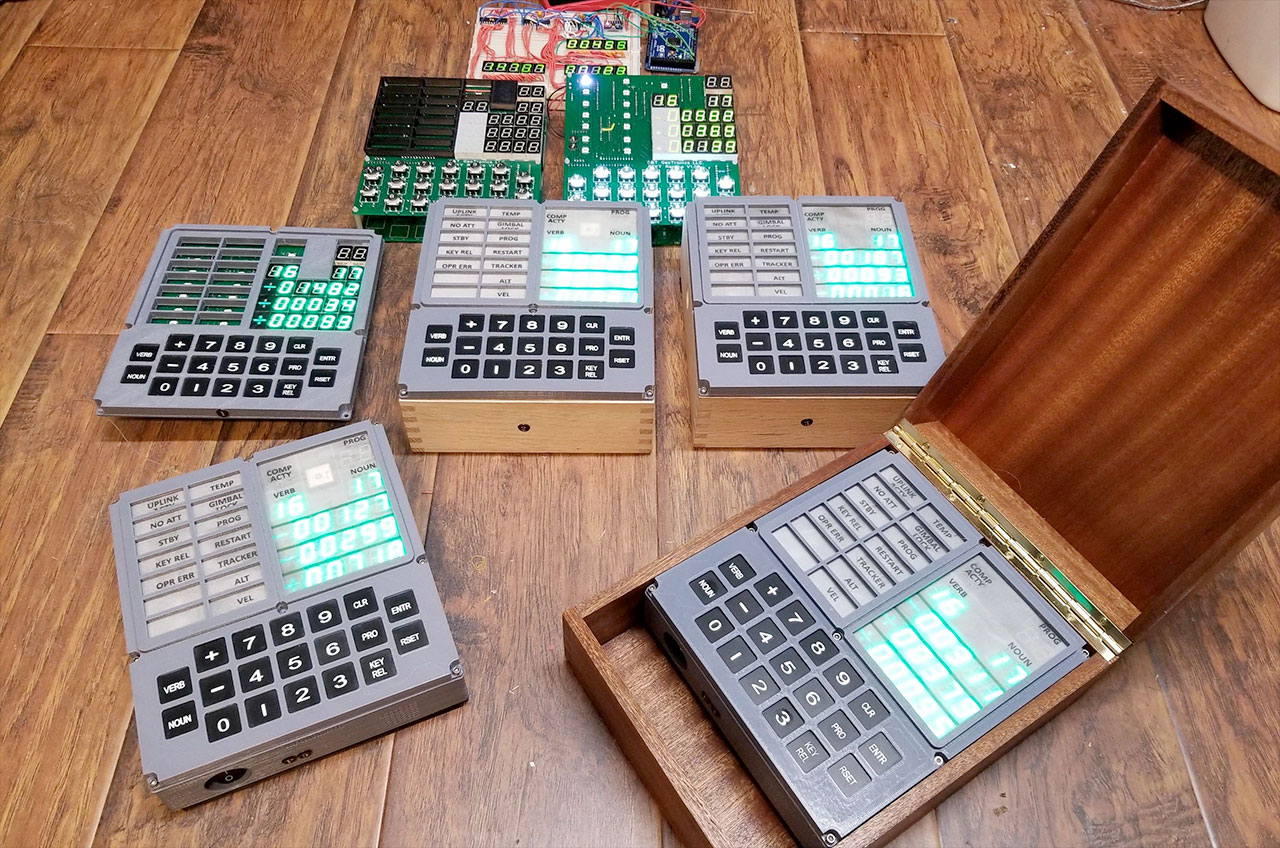
Backers could choose their level of involvement: a bare printed circuit board at the low end, kits of increasing completeness in the middle, and at the top a fully assembled and tested unit. S&T’s launch photographs show an assembled unit presented in a hinged wooden box (Figure 4); S&T’s later backer updates also describe a laser-cut display stand in solid cherry wood. Exactly which tiers shipped with which box or stand could not be confirmed. S&T’s current price list runs from the bare PCB ($60) through Barebones ($400), Electronics ($500) and Complete Slim ($600) and BigBack ($750) kits, up to assembled Slim ($900) and BigBack ($1,200) units (stgeotronics.com/open-dsky). The Slim is the standard build; the BigBack, offered from April 2018, adds the deep rear housing of the original for a true 1:1 replica and takes S&T about forty hours to print.
18.3 What It Is, Physically
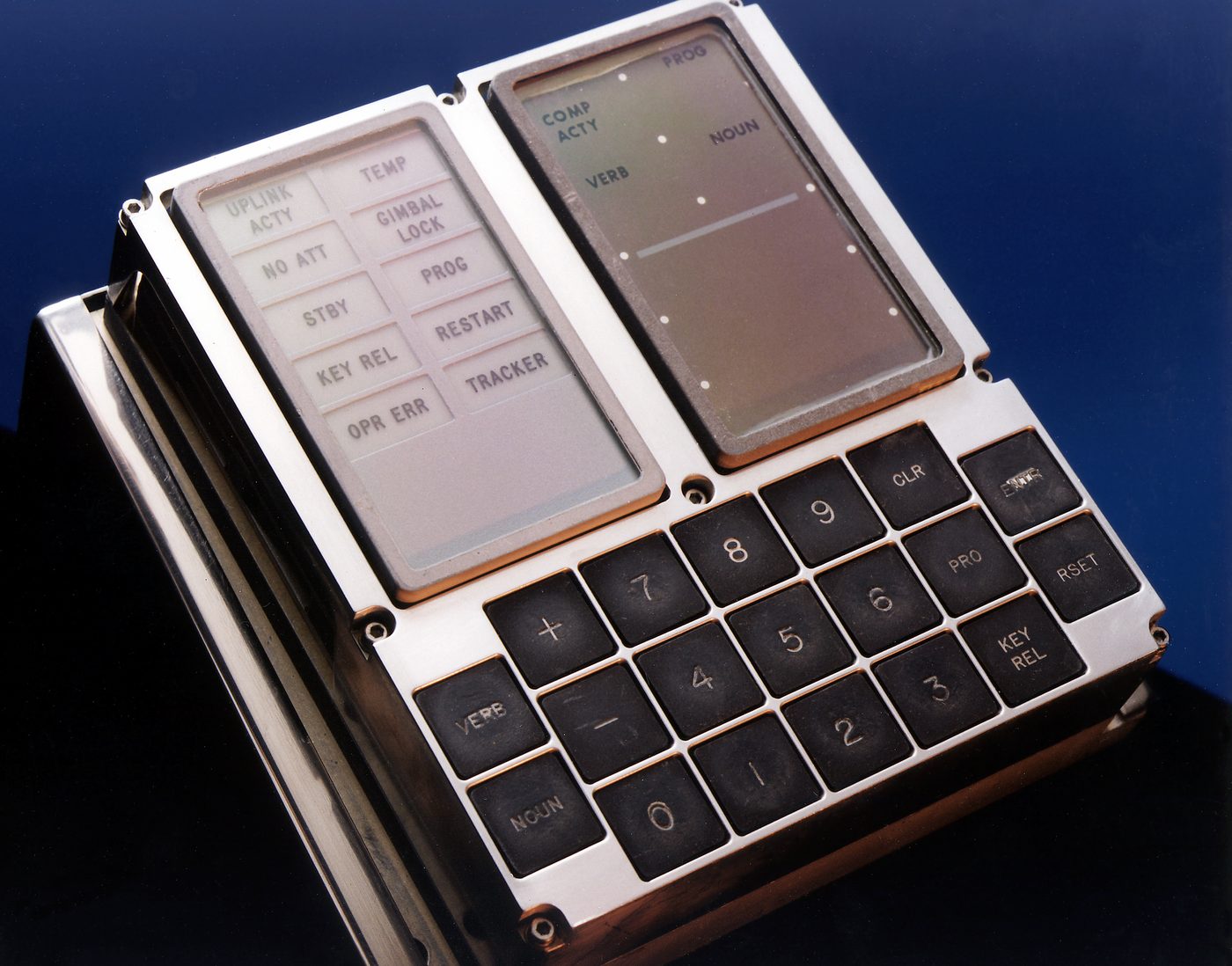
Hold an Open DSKY at arm’s length and the silhouette is immediately right. The proportions of the original panel (Volume 8) have been carried over: the upper-left block of warning and status lamps, the upper-right block of numeric registers, and below them the keypad with its VERB and NOUN keys flanking the digit pad, the PRO, KEY REL, ENTR, CLR and RSET keys, and the sign keys. Anyone who has spent time with photographs of the real article already knows where to reach. That is the point.
Underneath the homage, the technology is resolutely modern, and the makers are candid about it. The S&T Instructable, “Open Apollo Guidance Computer DSKY” (January 2018, CC BY-NC-SA 4.0), lists the parts:
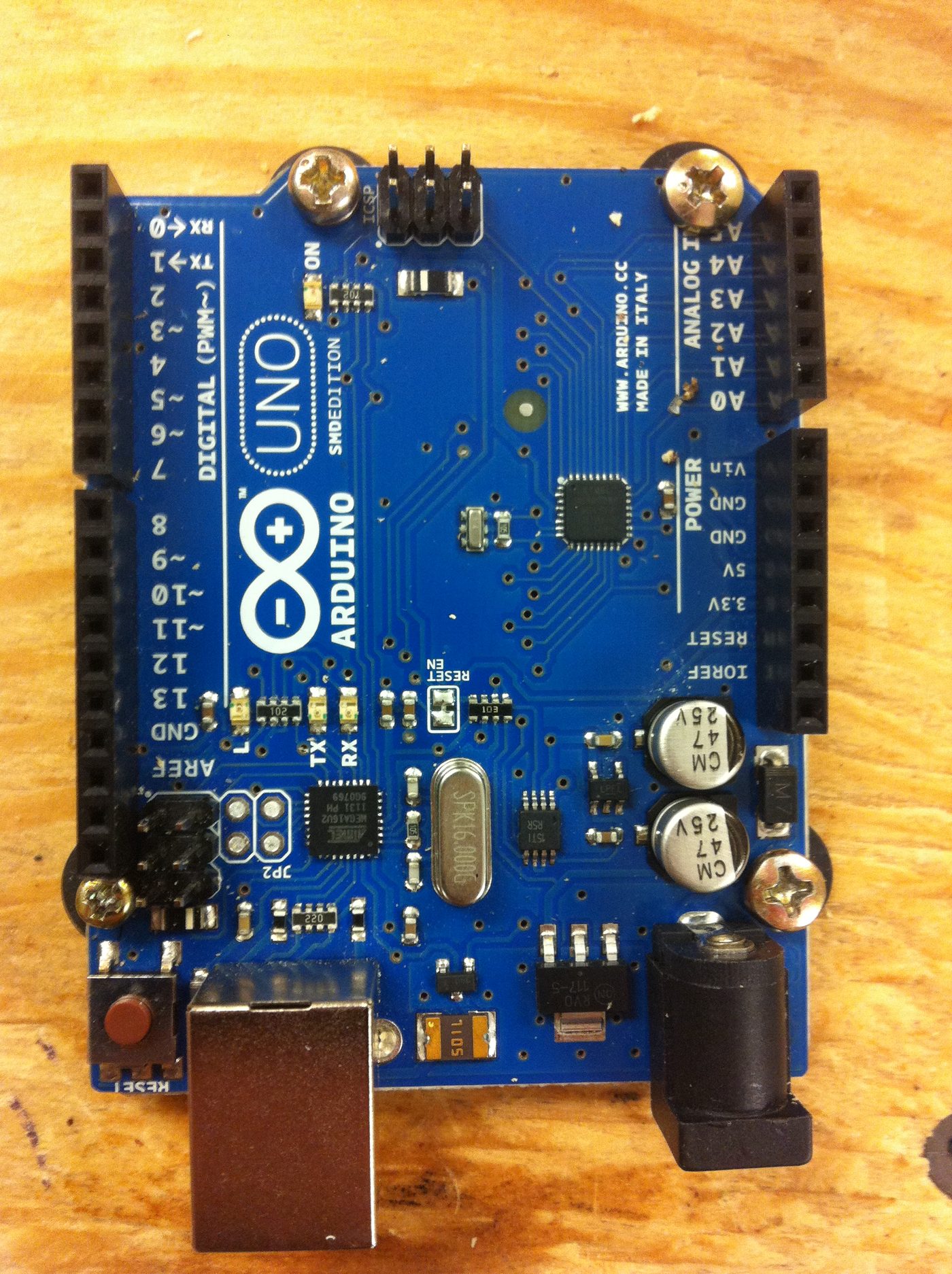
- Brain: an Arduino Nano (ATmega328P). The firmware that animates the lamps, reads the keys and drives the displays lives in its flash memory.
- Numeric registers: 21 seven-segment LED displays (type 820501G), green, in the original’s three five-digit registers plus the two-digit PROG, VERB and NOUN fields. The original’s electroluminescent numerals, painted in light by a thin-film phosphor at a couple of hundred volts, were not reproducible on a hobby budget.
- Sign digits: 3 custom “3-segment” ± digits that S&T designed from scratch, because nothing suitable could be bought: a 3D-printed shell with a tiny PCB of SMD LEDs inside.
- Display drivers: 4 × MAX7219 LED driver chips, each handling up to eight digits.
- Lamps: 18 NeoPixel (WS2812-type, SMD 5050) RGB LEDs, chained on a single data line, behind the printed legends of the warning lamps (UPLINK ACTY, NO ATT, STBY, KEY REL, OPR ERR, TEMP, GIMBAL LOCK, PROG, RESTART, TRACKER, ALT, VEL) and the COMP ACTY, PROG, VERB and NOUN legends. Each can be lit, coloured, dimmed or flashed independently.
- Keys: 19 lighted pushbuttons with laser-cut two-ply keycaps, read through resistor ladders on three of the Nano’s analogue inputs.
- Sensors: an MPU-6050 six-axis gyro and accelerometer, a battery-backed real-time clock, and an SKM53 GPS receiver with a logic-level shifter. A reed relay switches the GPS onto the Nano’s serial port only when it is being read, so the Nano can be reprogrammed over USB without being removed.
- Sound: a DFPlayer Mini MP3 player with a micro-SD card and a one-inch speaker.
- Power: a buck converter, a 6 × AA (9 V) battery holder and an on/off rocker switch.
It is worth sitting with that contrast. The original DSKY (Volumes 5 to 8) was the front panel of a seventy-pound computer whose memory was physically woven: program words encoded by the pattern of wires threaded through or around magnetic cores, by hand, in a Massachusetts factory. The Open DSKY’s “computer” is a postage-stamp microcontroller with two kilobytes of RAM, running code held in ordinary flash memory that can be rewritten a thousand times. The panel is a careful reproduction; the machine behind it is a different machine entirely. Both statements are true at once.
18.4 The Software Underneath — and an Honest Distinction
This is the place where enthusiasm most easily outruns the facts.
Three generations of software have run on the same hardware, all of them Arduino sketches for the Nano.
- S&T’s own demo (
dsky21dec17.ino, December 2017), attached to the Instructable and described there as “a prototype with limited functionality”: three verbs, three nouns and three programs, including the V35 lamp test, the IMU, the clock, the GPS, and audio clips of John F. Kennedy and Apollo 11 and 13. - Scott Pavlovec’s community rewrite (github.com/scottpav/OpenDSKY, 2018–2020), which added an Apollo 11 descent simulation, a countdown timer and an Apollo 13-style startup sequence. Ron Diamond published an MIT-licensed refactor of the S&T code in 2019 alongside it.
- Bill Walker’s “Apollo Project” software (
CustomDSKY.ino, © 2019–2021, GPL-3.0, github.com/ApolloExperience/OpenDSKY), written for his Apollo Education Experience Project in Cumming, Georgia, and “based in part on original code by S&T Geotronics, Ron Diamond, Scott Pavlovec, and others.” Walker first sent it to donors of the Project’s GoFundMe from August 2019 as a pre-programmed Nano, an SD card of audio and a printed manual. From January 2020, S&T shipped every new Open DSKY kit and assembled unit with Walker’s code, his audio clips and a printed copy of his command reference manual (Apollo Experience, 22 January 2020).
Walker’s software is the one most owners run. In his words it offers “nearly 50 functions accessible through combinations of 11 verbs, 17 nouns, and 9 progs, synchronized simulations of Apollo 11’s launch and lunar landing,” and fifteen audio clips. Beyond the Apollo-flavoured displays there are genuinely useful extras: a real-time clock, GPS position and time, timers counting up from and down to an event, and the IMU’s live readings. The launch and landing re-enactments march the registers through Apollo 11’s numbers while the mission audio plays. Key a verb and a noun and the panel answers in the right idiom. Volume 20 lists every command, and Volume 21 opens up the two re-enactments in the code.
But that firmware is a behavioural simulation, not the Apollo flight program. It reproduces what the DSKY did (the verb-noun grammar of Volume 9, the flashing-display dialogue, the lamp logic) by implementing a hand-written set of functions on the Arduino. It does not run the Apollo Guidance Computer’s assembly code. Ron Diamond’s README says it plainly: “It does not run the original Apollo flight code.” A Nano with two kilobytes of RAM could not host an AGC emulator in any case.
So where does Ron Burkey’s Virtual AGC (Volume 17) fit in? As the other half of the story. Virtual AGC’s emulator, yaAGC, does what the Arduino firmware does not: given the genuine Apollo assembly source, recovered and transcribed by Burkey’s project, it executes that code instruction by instruction and answers exactly as the real computer did. yaAGC comes with its own on-screen DSKY, and its project pages describe builders who have wired physical replica panels to it, typically with a Raspberry Pi running the emulator. The example the Virtual AGC “DIY” page names is a 3D-printed DSKY sold on eBay by Sam Ammons, not the Open DSKY.
The best-documented physical panel driven by the real code is DSKY-matic (Riley Rainey, 2020–2025). It is not an Open DSKY. It is Rainey’s own modular hardware, with display, alarm-panel and keyboard boards on ATSAMD21 microcontrollers, in a housing derived from his mechanical-CAD model of the AGC, all driven by a Raspberry Pi 4 running yaAGC. On that panel, a verb and a noun keyed by hand go to a faithful re-creation of the program that flew.
No documented build could be found that drives S&T’s Open DSKY board from yaAGC. Doing so would mean replacing the Nano’s firmware with a serial bridge to a computer running the emulator. The hardware is open and the idea is plausible, but it remains an idea.
The honest summary, then: the Open DSKY is a faithful homage that behaves like a DSKY. It does not run the Moon’s code. What it offers instead is openness. The schematics, print files and several complete firmwares are published, and anyone can change what the panel does by editing a sketch and uploading it from a laptop, which is exactly what Volume 21 does.
18.5 Faithful Versus Simulated — A Reckoning
It helps to lay the two machines side by side.
The original DSKY was an electromechanical front panel: relays driving electroluminescent numerals, indicator lamps and a keypad, all hard-wired to an Apollo Guidance Computer in the spacecraft’s equipment bay. That computer was a sealed box of NOR-gate logic and woven core-rope memory, weighing some seventy pounds, drawing tens of watts, and tied through the guidance system to a gimballed inertial measurement unit that physically knew which way the spacecraft was pointed (Volumes 5 to 8). When an astronaut keyed V16 N68 during the landing, the request travelled into real software running on real hardware that was, at that instant, steering a real descent.
The Open DSKY reproduces the panel and the behaviour. Its numerals are LEDs, not electroluminescent phosphor. Its memory is flash, not woven wire. Its computer is a microcontroller, and there is no inertial platform, no spacecraft and no Moon; its little MPU-6050 measures only the desk it sits on. What it gains in exchange is everything that made it possible to include here at all: it is affordable, it is open (design files and source published for anyone to study, fork and improve), and it is hackable.
Neither fact diminishes the other. The replica is not a fraud for using LEDs, any more than a working Enigma replica is a fraud for using an Arduino, and the original is not made small by being reproducible. What the Open DSKY offers is a rare thing: the chance to put a thumb on the VERB key and key the language the astronauts keyed. Anyone who worked through Volume 9 (who learned that V37 selects a major mode, that a flashing display is the computer asking a question, that NOUN selects what and VERB selects what to do with it) can speak that language with their hands and watch a green register answer back.
18.6 The Shape of a Build
The kit’s assembly follows the Instructable’s steps. My own build, with my photographs, is Volume 19; this section is the general outline.
The parts come out first: the main printed circuit board, the seven-segment displays and the custom sign digits, the NeoPixel lamps, the keypad switches and keycaps, the Nano, the MAX7219 drivers, the sensor and audio modules, the 3D-printed case pieces and the hardware. Assembly is soldering: seating the displays straight in their rows, fitting the lamp LEDs, mounting the keypad switches, wiring the modules, and setting the IMU to its alternate I²C address with a jumper. The work rewards patience and a methodical hand.
The case is printed in five pieces (Bezel, Top Plate, Mid Ring, Bottom, and Battery Box Lid), and the original is close to seven inches wide and eight tall, so a printer needs a bed of at least 180 × 200 mm. S&T prints the Bezel, Top Plate and Mid Ring in grey and the Bottom and battery door in black. The speaker and the on/off switch mount to the Mid Ring.
Software comes last. A kit bought since 2020 arrives with Walker’s firmware already on the Nano and his audio on the SD card; anyone loading a different sketch uses the Arduino IDE over USB. Then comes first power-on. The firmware runs its own start-up sequence, sweeping every lamp and every segment, and the first thing any DSKY enthusiast keys is the lamp test, Verb 35, which lights every indicator and every digit at once, as a crew would have checked their panel before trusting it. Then the first real exchange: a verb, a noun, ENTR, and the green numerals answer.
18.7 The Wider Replica and Simulation Ecosystem
The Open DSKY does not stand alone. It sits at the accessible, hands-on corner of a surprisingly rich world that grew up around the Apollo computer, much of it cresting around the fiftieth anniversary in 2019.
At the software-only end live the simulators. Ron Burkey’s Virtual AGC (Volume 17) is the foundation: the open-source project that recovered the actual flight code and built yaAGC to run it, complete with a simulated DSKY on a desktop. Lighter browser simulators, such as the “moonjs” AGC and the WebAssembly webAGC port, let anyone key verbs and nouns in a browser tab. These are how most people first touch the AGC. What they lack is a panel under the fingers.
In the middle sit the physical replica builds, made by a small, generous community, especially around the anniversary. The Open DSKY is the most productized of these (a real kit, a real campaign, a real box), and it has cousins: Rainey’s DSKY-matic, driven by Virtual AGC; Ben Krasnow’s efforts to reproduce the original’s electroluminescent display rather than imitate it with LEDs; the Apollo Simulation Peripheral Lab’s DSKY, which links to spaceflight simulators on a PC; and a steady stream of Hackaday projects. There is also a second software community around the Open DSKY itself, including Ken Stauffer’s Kenny’s Open DSKY (2024), a complete rewrite with its own byte-code virtual machine and AGC-flavoured assembly language (Volume 21).
At the far, most exacting end stand the hardware re-creations, and one true restoration. A team including Marc Verdiell (CuriousMarc), Ken Shirriff, Carl Claunch and Mike Stewart spent the run-up to the anniversary restoring a genuine Apollo Guidance Computer, and in July 2019 ran it at MIT flying a simulated lunar descent. Along the way Stewart produced a gate-accurate FPGA re-creation of the AGC, the most faithful copy of the machine (as opposed to the code) that exists outside a museum.
Lay them out together and a spectrum appears, from pure software to pure hardware: web simulators, Virtual AGC, the Open DSKY, panel-plus-emulator builds like DSKY-matic, FPGA gate-level clones, and the restored original itself. The Open DSKY’s place on that spectrum is deliberate. It is the accessible, open, hands-on entry point, the one a curious person can actually build, and the one that turns a reader into a maker.
18.8 From History to the Bench
The series opened, eighteen volumes ago, with “the computer that flew to the Moon”: the actual machine, the actual code, the actual people, and the interface through which a handful of astronauts spoke to a computer with a numeric keypad and a wall of lamps. It followed the rope-memory weavers and the NOR-gate logic, the priority scheduler that survived the 1202 alarms, the descent programs, the verb-noun language, and at last the open-source resurrection of the code itself.
The arc of this collection bends toward access: the conviction that these machines belong not only to history and to museums but to anyone willing to learn how they worked and to wire one up. The Open DSKY is that conviction made solid, imperfect where it must be, honest about its substitutions, and alive in the way that matters. The language the astronauts keyed in the dark above the Moon (VERB, NOUN, ENTR, and the patient flashing of a display asking what next) is no longer locked inside a seventy-pound box in a museum.
The next three volumes leave the general case for a particular one: one Open DSKY, one printed manual, and the programs that have run on it.
Next — Volume 19: My Open DSKY — The Build. The kit on my bench: the grey-and-black printed housing, the boards behind the bezel, the switch on the side, the nameplates, and the first time every lamp and segment lit at once.
Comments (0)